How to Watch Free Live TV on Your Laptop — Browser-Based Guide
·5 min read·StreamSmarters
If you are comparing options, read How to Watch Free Live TV on Your iPhone and Android in 2026 for a practical baseline. You can also check How to Watch Live TV Directly in Your Browser — Free and Instant to see how tra
Table of contents
- Why Use the Browser for Live TV on a Laptop?
- The Best Sites for Free Live TV in Your Laptop Browser
- 1. Pluto TV — Start Here
- 2. USTVGO — US Cable Channels
- 3. Plex — Best Quality
- 4. TV Garden — International
- 5. Tubi — On-Demand + News
- 6. Peacock (Free Tier)
- Setting Up Your Laptop for the Best TV Experience
- Step 1: Get a Good Ad Blocker
- Step 2: Enable Full Screen
- Step 3: Enable Hardware Acceleration
- Step 4: Bookmark Your Favorites
- Casting from Your Laptop Browser to Your TV
- Chrome / Edge (Chromecast)
- Mac / Safari (AirPlay)
- HDMI Cable
- Browser Comparison for TV Watching
- Troubleshooting
- Quick Cheat Sheet
- Final Thoughts
How to Watch Free Live TV on Your Laptop — Browser-Based Guide
If you are comparing options, read How to Watch Free Live TV on Your iPhone and Android in 2026 for a practical baseline. You can also check How to Watch Live TV Directly in Your Browser — Free and Instant to see how trade-offs change by use case. For a broader shortlist, Watch Free Live TV Online With No Sign Up — The Complete Guide adds more tested picks.
Your laptop's browser is already a fully capable TV. No app installs, no subscriptions, no accounts in most cases — just open a tab and watch. Here's the complete guide for 2026.

Why Use the Browser for Live TV on a Laptop?
Watching TV in the browser has several advantages over apps:
- Nothing to install — works immediately
- Easy switching — multiple TV sites open in different tabs
- Ad blockers work — browser extensions handle aggressive ads on free sites
- Works on any OS — Windows, Mac, Linux, ChromeOS
- Cast to TV — use Chrome's built-in cast feature to send to your TV
The Best Sites for Free Live TV in Your Laptop Browser
1. Pluto TV — Start Here
plutotv.com
The best free live TV experience in any browser. Open the site, click Live TV, pick a channel, watch. No account needed.
The interface scales perfectly for laptop screens, and the channel grid is easy to browse. 250+ channels across news, sports, entertainment, and more.
Browser compatibility: All major browsers (Chrome, Firefox, Edge, Safari)
2. USTVGO — US Cable Channels
ustvgo.tv
For US cable channels in the browser — ABC, NBC, CBS, ESPN, CNN, Fox News, MSNBC, Cartoon Network, Discovery — USTVGO is the most direct option. No account, no splash screen. Channel list, click, plays.
3. Plex — Best Quality
plex.tv
Plex's browser player is well-built and the video quality is noticeably better than most free TV sites. Navigate to the TV section, no account required for most content. Hundreds of live channels.
4. TV Garden — International
tv.garden
For international channels — Arabic, Turkish, French, Spanish, Indian, and more — TV Garden has the deepest catalog. Works directly in the browser, no sign-up.
5. Tubi — On-Demand + News
tubitv.com
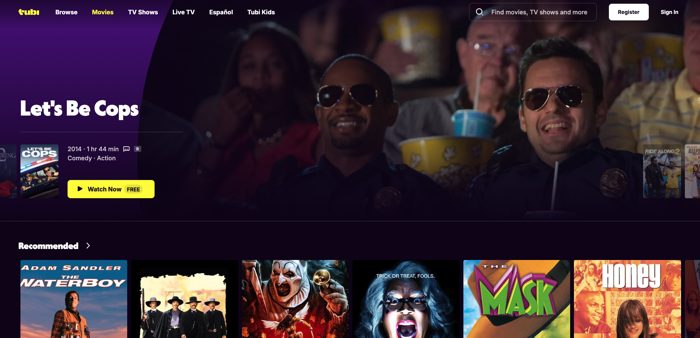
Tubi's live news section includes 24-hour streams from major US news channels, plus a massive on-demand library. No account needed to start watching.
6. Peacock (Free Tier)
peacocktv.com
Free tier requires a free account but offers NBC content, live sports, and news. Works well in any browser.
Setting Up Your Laptop for the Best TV Experience
Step 1: Get a Good Ad Blocker
Free TV sites run ads. Some are fine; some are obnoxious pop-ups or autoplay video ads. uBlock Origin is the best ad blocker available:
- Firefox: Add-ons → search "uBlock Origin" → Install
- Chrome/Edge: Chrome Web Store → search "uBlock Origin" → Add to Chrome
It's free, lightweight, and blocks virtually all intrusive ads while leaving video streams intact.
Step 2: Enable Full Screen
For each site, use the player's full-screen button or press F11 for browser full screen. On Mac, use Control + Command + F or the green traffic light button.
Step 3: Enable Hardware Acceleration
If video is choppy:
- Chrome: Settings (⋮) → System → "Use hardware acceleration when available" → turn on
- Firefox: Settings → General → Performance → check "Use hardware acceleration"
This uses your GPU for video decoding, making playback smoother.
Step 4: Bookmark Your Favorites
Build a quick-access bookmark folder:
- Create a "Free TV" folder in your bookmarks bar
- Add: plutotv.com, ustvgo.tv, tv.garden, plex.tv
- One click to switch between them if any goes down
Casting from Your Laptop Browser to Your TV
If you have a TV nearby, you can cast the browser tab to it:
Chrome / Edge (Chromecast)
- Click the ⋮ menu in Chrome
- Select "Cast…"
- Choose your Chromecast or Chromecast-enabled TV
- Select "Cast tab" or "Cast desktop"
This works for any website, including Pluto TV and USTVGO.
Mac / Safari (AirPlay)
- Click the AirPlay icon in the menu bar or in Safari
- Select your Apple TV or AirPlay-compatible TV
HDMI Cable
For the simplest approach — just plug an HDMI cable from your laptop to your TV. Switch the TV to the right input, mirror your display, and watch full screen. No Wi-Fi required.
Browser Comparison for TV Watching
| Browser | Performance | Ad Blocker Support | Notes |
|---|---|---|---|
| Chrome | Excellent | uBlock Origin | Best all-around |
| Firefox | Excellent | uBlock Origin | Best for privacy |
| Edge | Excellent | uBlock Origin | Built-in tracker blocking |
| Safari (Mac) | Good | Less extension support | Native Mac integration |
| Brave | Good | Built-in blocker | Good default choice |
| Opera | Good | Built-in blocker | Built-in VPN |
Troubleshooting
Video stutters or buffers:
- Speed test your connection (speedtest.net) — you need 5 Mbps+ for HD
- Enable hardware acceleration in browser settings
- Close other tabs and applications
- Try a different browser
"Content not available in your region":
- Use a VPN or try a different site
- TV Garden or USTVGO rarely have geo-restrictions
Pop-ups keep opening:
- Install uBlock Origin immediately — this solves it
No sound:
- Check if the tab is muted (speaker icon in the browser tab)
- Check system volume
- Try right-clicking the video and checking audio settings
Quick Cheat Sheet
| What you want | Best site |
|---|---|
| Best all-around | plutotv.com |
| US cable channels | ustvgo.tv |
| International channels | tv.garden |
| Best video quality | plex.tv |
| UK news | news.sky.com |
| French TV | france24.com |
| Arabic TV | aljazeera.net/live |
| German/international news | dw.com/en/live-tv |
Final Thoughts
You don't need a single app to watch live TV on your laptop. Pluto TV in the browser is a better experience than most cable interfaces. Install uBlock Origin, bookmark three or four sites, and you have a complete free TV setup that works everywhere, on any laptop, no matter the operating system.